What a haircut simulator helps you compare
A haircut simulator gives you an edited image of a possible look. It is useful for deciding whether you prefer a shorter outline, more layers, a different fringe, or a center part. It is less useful for predicting how your own hair will fall without styling or how a cut will grow out.
Start with one decision. If you are deciding between long layers and a shorter cut, compare those two shapes first. Changing the cut, color, parting, and source photo at the same time makes it difficult to tell which change you like.
Two haircut requests on the same portrait
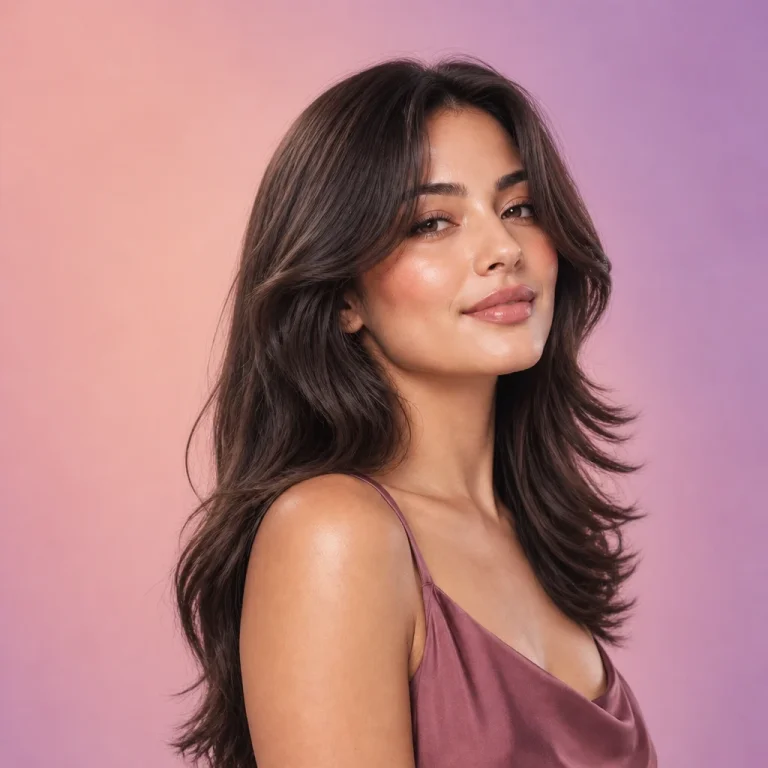
We sent the same synthetic portrait through HairLook's live hairstyle image service with the app's wolf-cut and curtains-haircut prompts. These are actual service outputs made on October 20, 2026, not real haircut photographs or screenshots of the app interface.


What this example shows
The wolf-cut request produced a shorter, more separated outline around the face and shoulders. The curtains request retained much more length and changed the front more subtly. Both outputs also changed facial details and returned a square frame. That is a reason to look critically at a simulation rather than treating it as an exact prediction.
Read the complete demonstration method and limitations →
Try a haircut on your own photo
- Choose a clear source photo.Face the camera in even light. Keep the hairline and the sides of your face visible.
- Pick one style in HairLook on iPhone.Browse a haircut direction you are interested in and generate a preview. Some choices require a subscription.
- Compare a second cut using the same photo.Look at the length near your jaw, the amount of side volume, and where the shortest pieces end.
- Save a reference for your appointment.Bring the original photo too. Ask your stylist how the idea would change for your texture, density, natural part, and routine.
Which cut should you simulate first?
| Your decision | A useful comparison |
|---|---|
| Keep length or go shorter? | A longer layered style versus a shorter outline |
| Add movement or keep a fuller edge? | A wolf cut versus a less layered shape |
| Change the front? | Curtains or a fringe versus a more open forehead |
| Use face shape as a starting point? | A couple of silhouettes from the face-shape guide, then your own preferences |
Haircut simulator questions
Does HairLook simulate how my hair grows or moves?
The app creates an image preview. It does not physically simulate hair growth, movement, or the effect of a real haircut on your specific texture.
Is there an online simulator on this page?
This website shows the examples. To generate a preview from your own photo, use HairLook on iPhone.
Can a simulated cut change my face?
AI can change facial details or framing as well as hair. Our examples show that limitation. Compare each result with the unchanged source.
Which reference should I show my stylist?
Bring your starting photo, one or two favorite previews, and a real haircut reference when possible. Explain what you like about each rather than asking for every generated detail to be reproduced.
Some styles and features require a subscription. AI previews are inspiration; results vary.