Try a hairstyle in HairLook
- Open HairLook on your iPhone.Find the app in the App Store as “AI Hair Try On Color Changer.” The website contains examples and guides; photo processing happens through the app's service.
- Choose a hairstyle and add a photo.Browse the hairstyle selection, then take a selfie or choose a photo from your library. A front-facing photo in even light makes it easier to compare the outline. Use a photo of yourself or one you have permission to use.
- Generate a preview.Choose a style you are considering, such as a wolf cut or curtains haircut. Some styles and features require a subscription. Avoid changing the photo and hair color at the same time if you want to compare just the cut.
- Compare a second direction.Use the same source photo for another style. Look at the fringe, length around your jaw, and side volume. Check whether the AI also altered your facial details or the framing.
- Save your favorite and discuss it with a stylist.Save or share your result in the app. Bring the starting photo and the preview so a stylist can explain what works with your texture, density, and routine.
Our two-request comparison
We used the same synthetic starting portrait for both requests through HairLook's live image service. We used the app's existing style prompts without adding a color change. No customer's image was used.
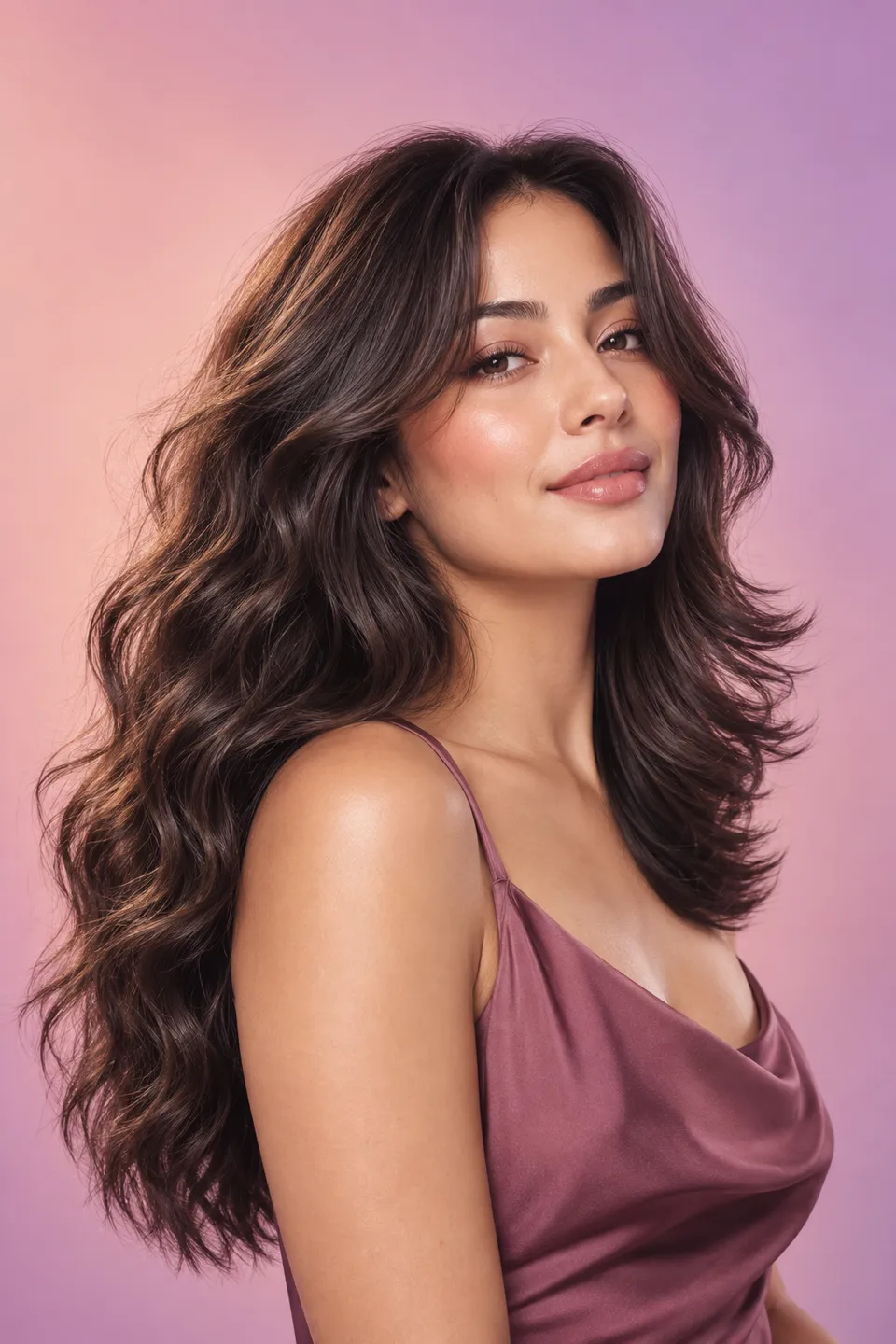

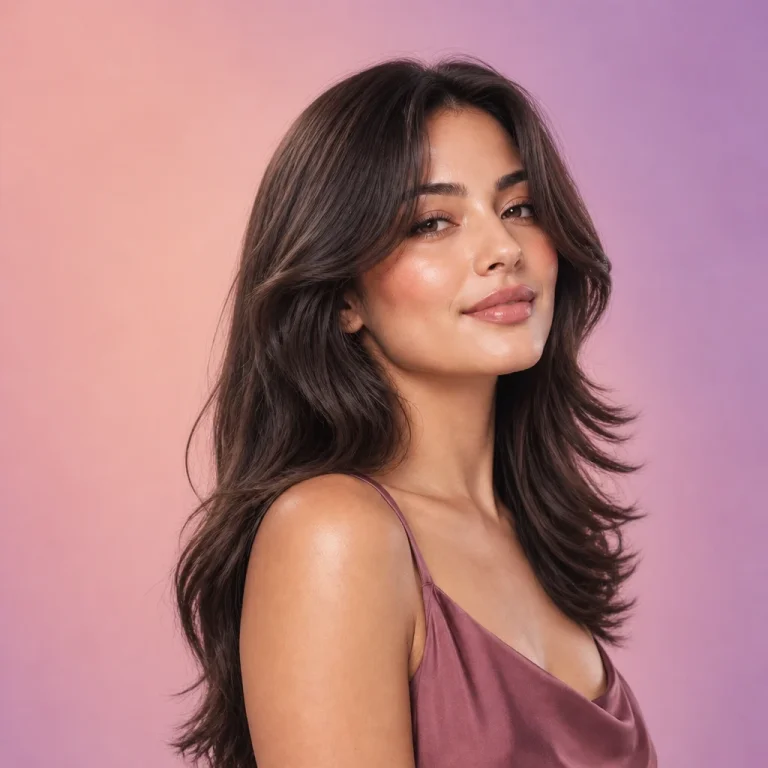
What changed
The wolf-cut request produced shorter, more visible layers around the face and shoulders. The curtains request kept more of the original length and changed the front more subtly. Both results came back in square frames and changed some facial details. The comparison is useful for exploring a direction, but it is not an exact prediction of a salon result.
How these examples were made
On October 20, 2026, we sent the same synthetic portrait to HairLook's live hairstyle image service twice, using the app's wolf-cut and curtains-haircut prompts. These are actual service outputs, not screenshots of the iPhone interface and not results from a real customer.
The requests changed only the hairstyle selection. We did not select a new hair color or apply face-editing controls. The source has been resized for the web; the results have been resized and compressed, without manual retouching. Outputs are shown in full, so you can also see the change in framing.
Both outputs changed some facial details and composition as well as hair. The curtain result stayed fairly close to the original length. AI previews can be inconsistent and do not predict how your own hair will grow, fall, or respond to a cut.
Before you choose a real haircut
A preview cannot measure hair density, assess damage, or predict how a fringe will sit when air-dried. If you prefer a low-maintenance routine, tell your stylist before choosing a cut. Ask where the shortest layers should sit and how the style will grow out.
Questions before you try it
Can I try a hairstyle in this browser?
This website shows examples and explains the workflow. To upload a photo and generate your own preview, use HairLook on iPhone.
Is every hairstyle free?
Some styles and features require a subscription. Check the app's current paywall before purchasing.
Will the AI keep my face exactly the same?
Not always. These examples show small changes to facial details and framing. Review your result critically and use it as inspiration.
Can I use my preview as a salon reference?
Yes. Bring your starting photo too, and ask your stylist to adapt the idea to your real hair.